Live Stream
Add Live Stream Info
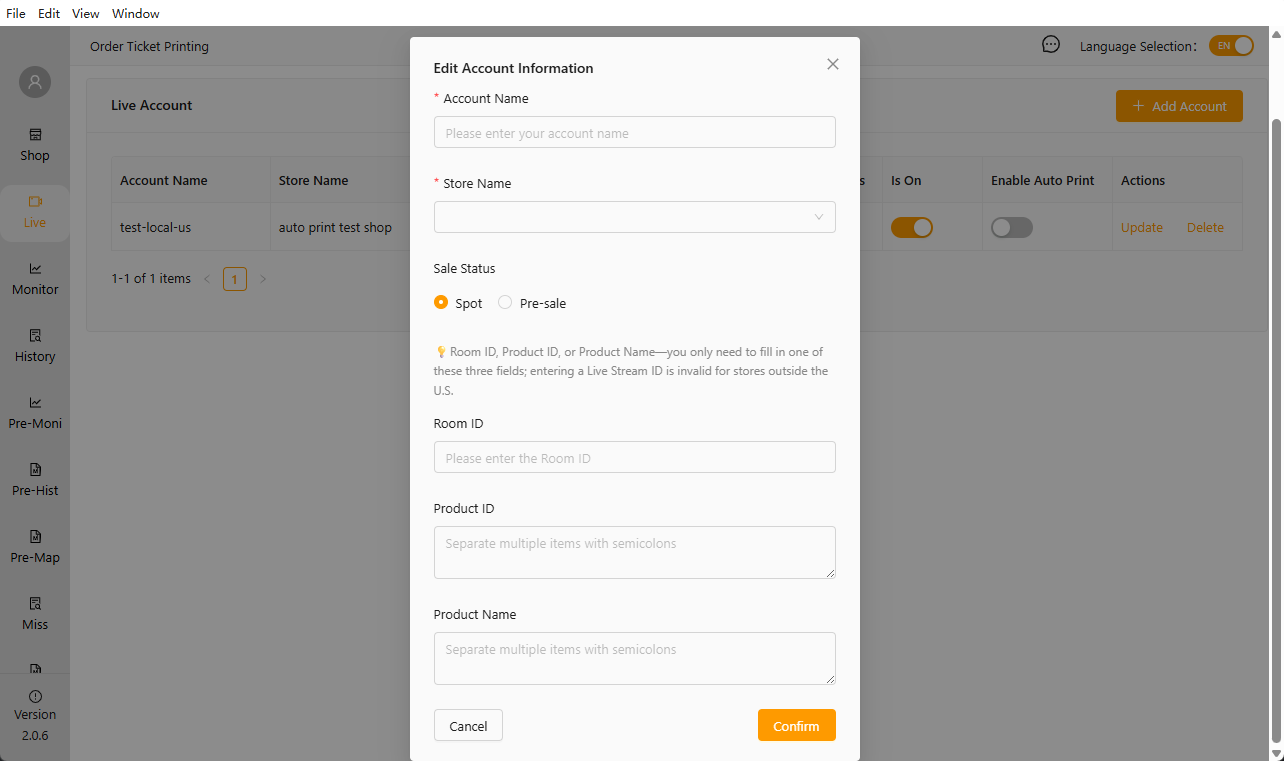
Account names are primarily based on the live stream room
Sales status distinguishes between in-stock and pre-order items. When set to “in-stock,” future orders will be included in both “Real-time” and ‘History’; when set to “pre-order,” future orders will be included in both “Pre-order Real-time” and “Pre-order History.”
You only need to fill in one of the following three fields: Live Stream ID, Product ID, or Product Name:
- Live Stream ID is recommended when there are many products in the current live stream, as maintenance can be cumbersome;
- Product Name is recommended when the same product name is used for every live stream, eliminating the need for future maintenance;
- Product ID is recommended when the product name is too long and difficult to maintain; use the product ID instead;
Click the “Start Live Stream” button to begin monitoring live stream orders
Click “Enable Auto-Print” to start automatically printing orders